Scout
Generate AI-powered battle cards with real-time competitive intelligence in about 60 seconds.
How It Works
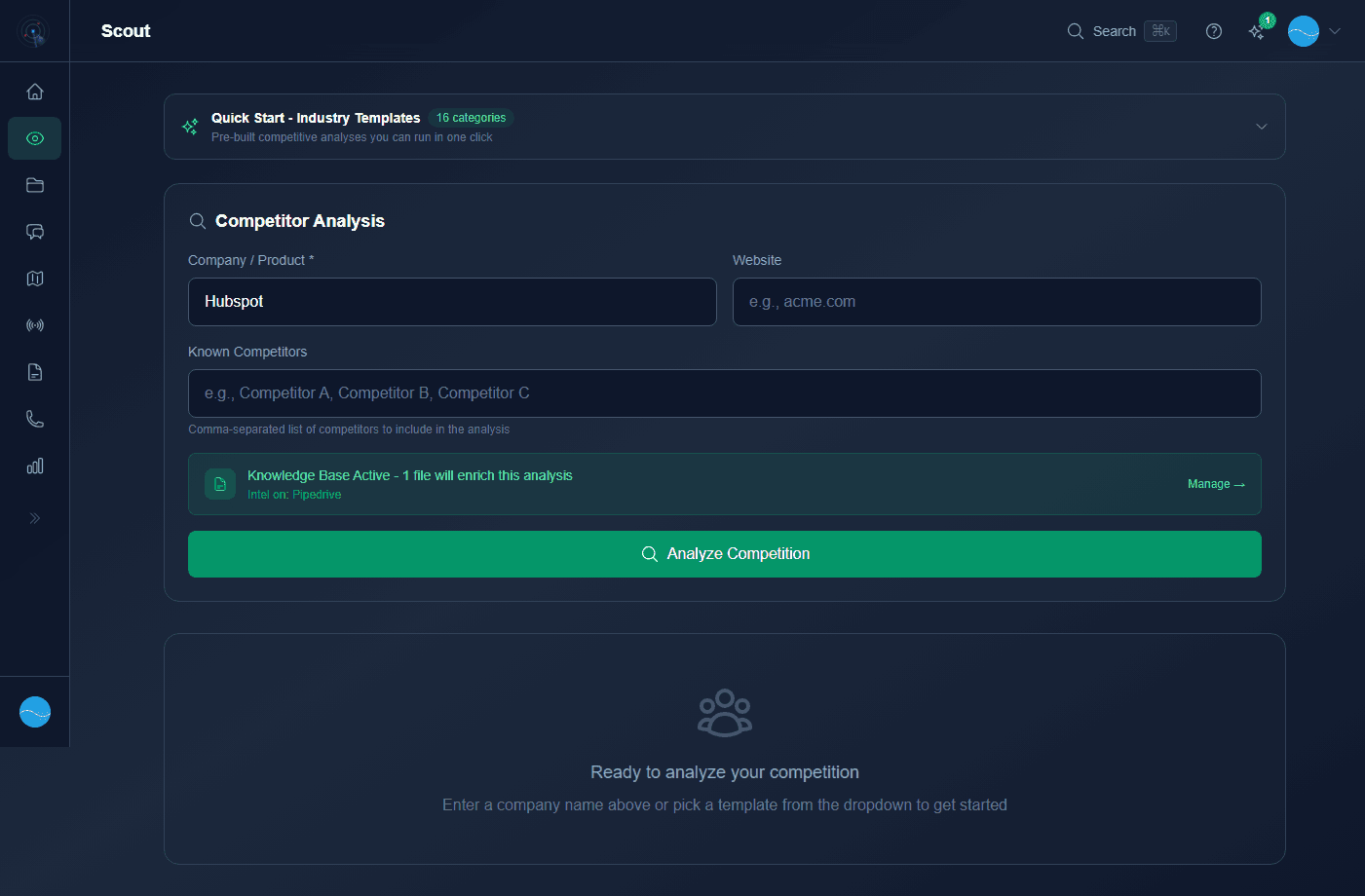
Scout uses real-time web search powered by Google, combined with your Knowledge Base documents. Look for the Knowledge Base enrichment indicator to see when your docs are used.
Every Scout automatically saves to The Vault.
- 1
Navigate to Scout
Click Scout in the sidebar or use
Cmd+Kand type "scout". - 2
Enter competitor name
Type the name of the company you want to analyze. Rival Radar will auto-discover details about them.
- 3
Choose an industry template
Pick from 16 Quick Start industry templates or enter details manually.
- 4
Click Scout
Hit the Scout button. In roughly 60 seconds, you'll have a full battle card.
- 5
Review your battle card
The battle card includes strengths, weaknesses, pricing intelligence, positioning, key features, objection handlers, landmine questions, and a winning talk track.
Quick Analysis vs Full Scout
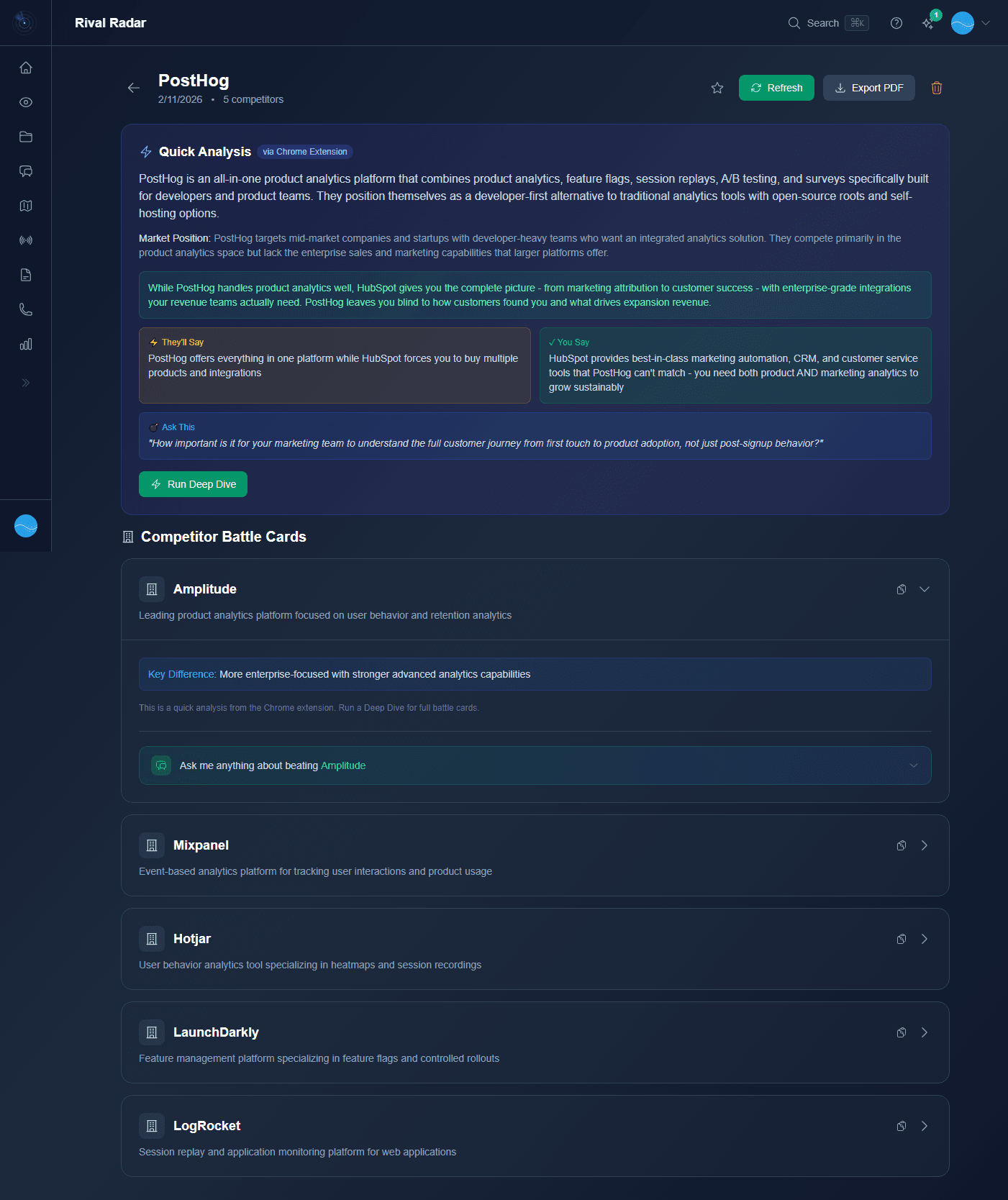
Quick Analysis (Chrome Extension): Lighter, faster analysis for browser tabs. Marked with QUICK badge in The Vault.
Full Scout: Comprehensive analysis with Knowledge Base enrichment and all battle card sections.
Upgrade any Quick Analysis with the Deep Dive button to run a full Scout.
Analysis limits by plan
Recon: 3/month · Overwatch: 15/month · War Room: 75/month · Command Center: Unlimited